


You sayUm, run get status and push the branch to git hub.
Wisp typesRun git status and push the branch to GitHub.
 wisp Download
Talk, and clean text appears in whatever app you’re using. Fillers gone, names spelled right.
Plus meeting notes that land in Apple Notes. All on your Mac. $19 once, not every month.
Free for 7 days, no card macOS 26+ · Apple silicon No subscription

✻ Coding agent ready in ~/shop
Describe the change you want.
enter to send · Wisp pastes, you decide when to send
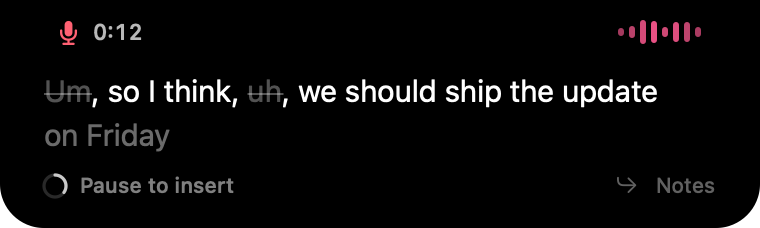
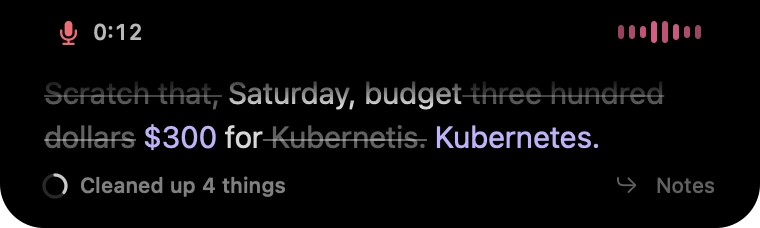
Tap ⌃⌥Space and talk. Fillers are crossed out as you speak.
Recreation of the native app with sample content and condensed timing. The cleanup shown is Wisp’s real output for these sentences.
Press ⌃⌥Space and talk. Every time you pause, the finished sentence is pasted at your cursor while you keep going.
ChatGPT, Claude, Cursor, Slack, Mail, Notes, Word…
If it has a text field, Wisp pastes into it.
 ChatGPT
 Slack
Slack Cursor
 Notes
Notes Claude
 Mail
Mail Bear
Bear WhatsApp
 Pages
Pages Terminal
 Telegram
 Things
 Word
Word Messages
 Todoist
 Safari
 Ulysses
 Spark
Spark Craft
Craft Keynote
 Day One
 Outlook
 Freeformreturn
 Numbers
 Calendar
 Drafts
 Excel
Excel Journal
 Reminders
 Termius
 TextEdit
 Goodnotes
 Stickiesshift
Any app with a text field you can paste into. Password fields are skipped on purpose. App names and icons belong to their owners.
Talk to Claude Code, Codex, Cursor, Gemini CLI or any coding agent in your terminal or editor. Wisp pastes each sentence into the prompt; you press return.
Terminal, iTerm, Ghostty, VS Code, Cursor. If the prompt takes text, Wisp can paste into it.
Agents one-shot more when you explain more. Saying three sentences takes seconds; typing them is why we skip them.
GitHub, Next.js, Supabase, TypeScript, Postgres and 270+ more names, spelled right without a dictionary.
~/Dev/kestrel · main
Describe the change in plain words. Add context: the agent does better with more.
Describe the change you want
You sayUm, run get status and push the branch to git hub.
Wisp typesRun git status and push the branch to GitHub.
You sayUh, move the launch to Friday at three thirty pm and budget two hundred dollars for ads.
Wisp typesMove the launch to Friday at 3:30 PM and budget $200 for ads.
You saySo, um, I I think we should ask chat gpt to write the type script types.
Wisp typesSo I think we should ask ChatGPT to write the TypeScript types.
Wisp hears your microphone and your Mac’s audio, so both sides of any call
become a live transcript. Hang up, and the notes are already written.
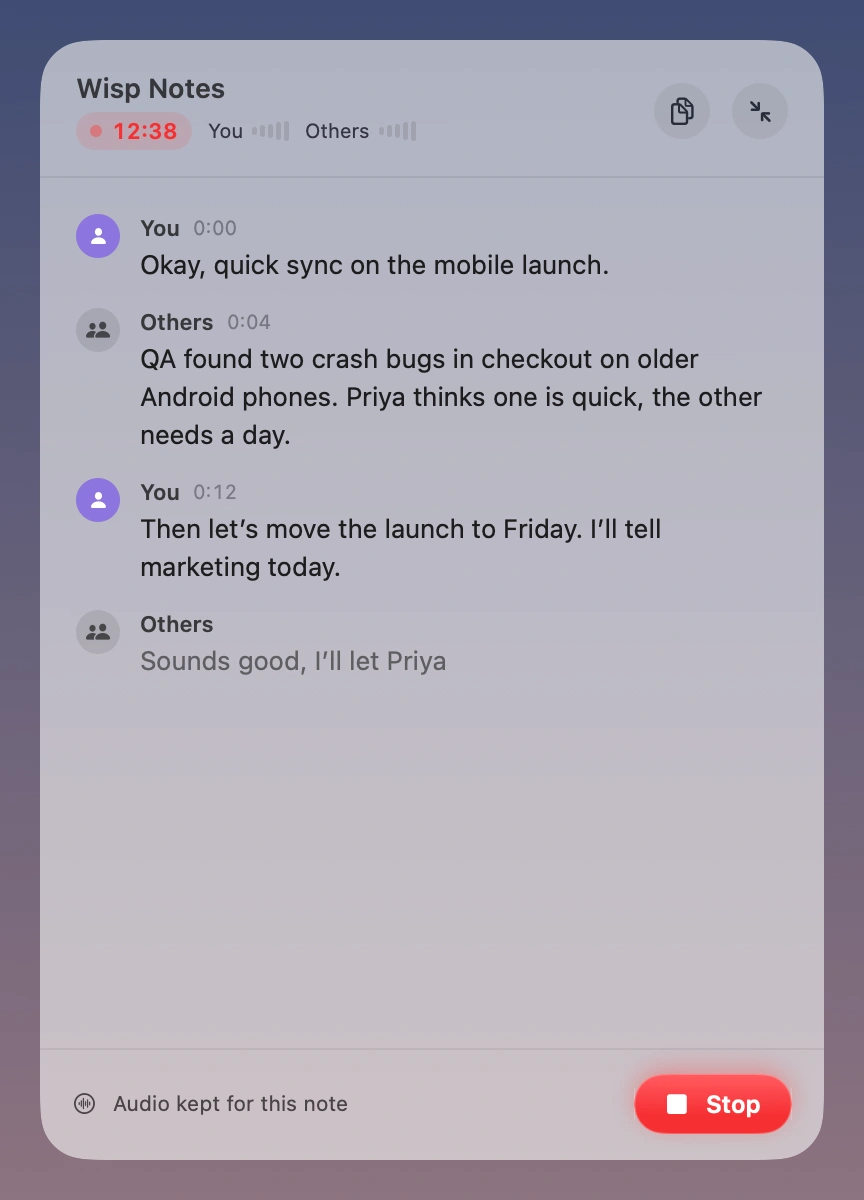
Your voice and computer audio, in one live transcript.
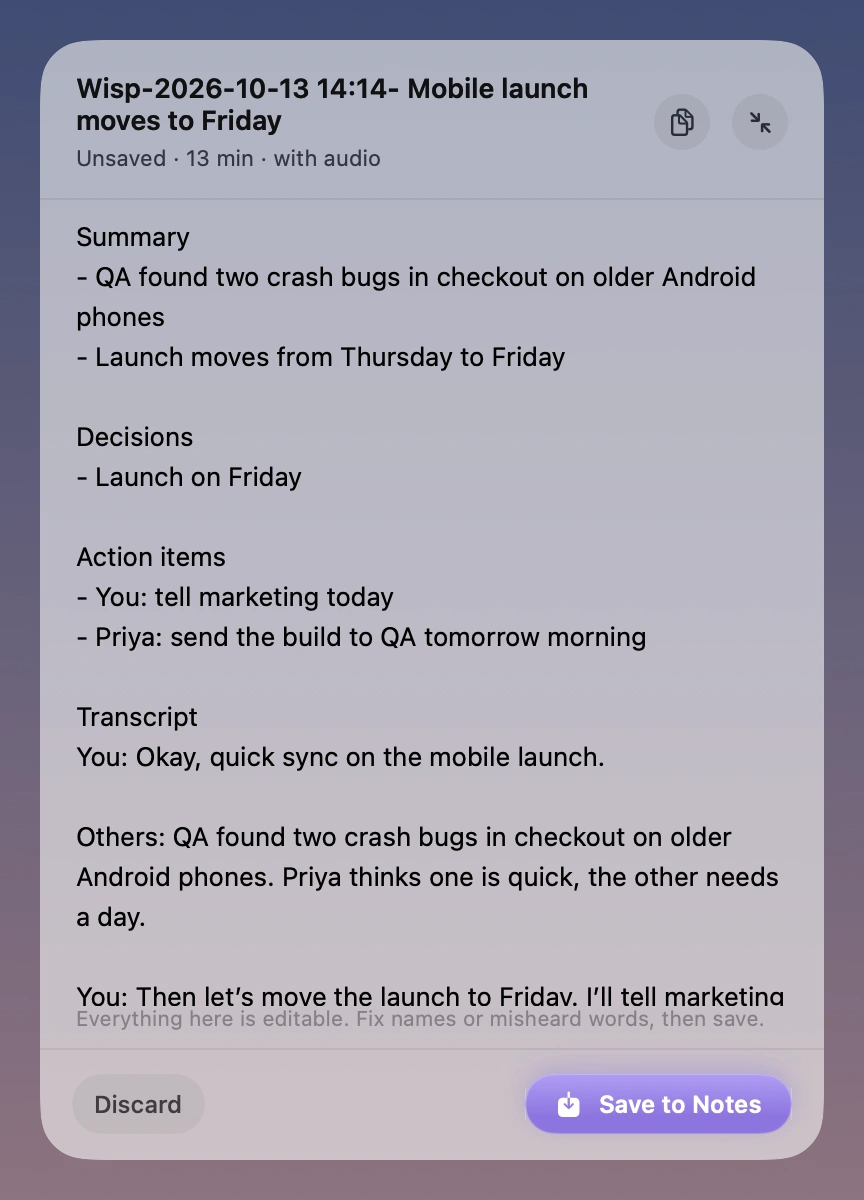
Edit the notes and transcript, then choose Save to Notes.
One click or ⌃⌥P. Works with Zoom, Meet, Teams, FaceTime, or any audio on your Mac.
Summary, decisions and action items, written on-device. Edit anything before it’s saved.
One click saves the notes, the transcript and the recording. Already have a recording? Drop it in.
Summaries need Apple Intelligence. Transcripts work without it. Nothing is saved until you choose Save.
Give ChatGPT, Claude or Cursor the full context. A paragraph of context takes about thirty seconds to say.
Reply in your own voice, in whatever app is in front. If you can type there, Wisp can paste there.
Zoom, Meet, Teams, FaceTime. Both sides transcribed, no bot joining, notes ready when you hang up.
Fewer keystrokes on long days. Hold the shortcut, talk, let go.
Many dictation and meeting apps upload your audio to their servers. Wisp doesn’t, because it has no servers.
No uploads, no accounts, no analytics. Turn Wi-Fi off and it still works.
One model download, then no internet needed.
Planes, trains, no problem.
Apple’s speech engine runs on your Mac.
Your audio never leaves it.
Apple Intelligence writes them on your Mac.
No transcript is uploaded.
No account, analytics or telemetry.
There’s no server to send to.
45 regional variants, all on-device.
Pick two. Wisp follows you.
History and drafts stay in your Library.
Notes land in Apple Notes.
Nothing to sign up for.
We never see your words.
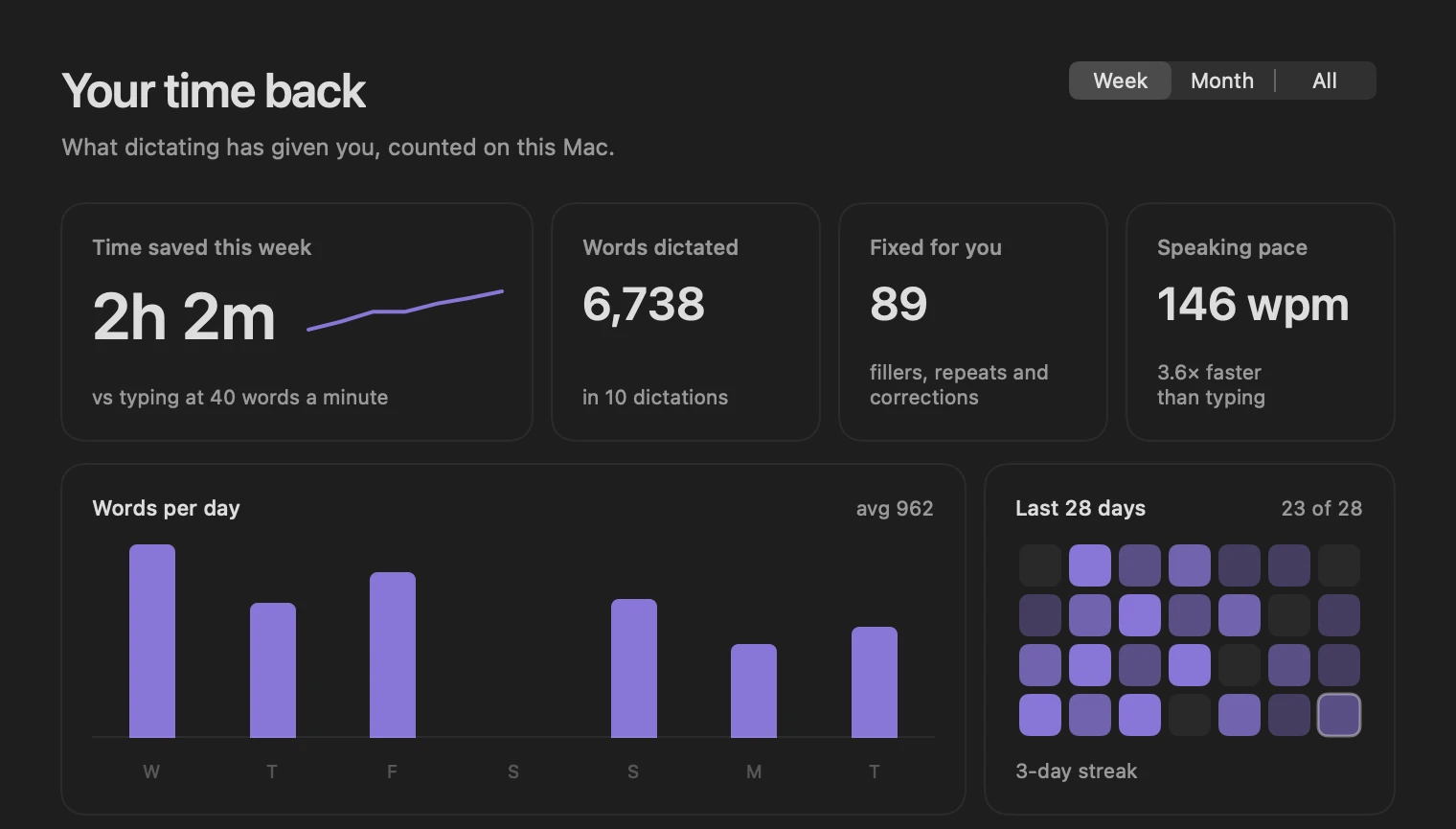
Emails, chats, docs and AI prompts add up: heavy keyboard days run to several thousand words. Typing at 40 words a minute versus speaking at 150, the rates Wisp’s Analytics uses, over 250 workdays of 8 hours.
Once. Pick how long you’d use an app like this, and see what each one adds up to.
After 2 years, Wispr Flow has cost you $288. Wisp still costs $19.
Individual plans from each app’s published pricing, October 2026, before tax. Each app is counted at its cheapest way to keep it that long: monthly, yearly or a one-time license. Coffees at $4.50. MacWhisper converted from euros.
$19 during the launch, $49 after it. Not $19 a month. Not $19 a year. Once, for about four coffees.
once, on all your Macs, with a year of updates
macOS 26+ · Apple silicon · 14-day refund · Paid securely with Stripe
Yes. Download Wisp and use everything free for 7 days, no card and no account. If you like it, buy a key for $19 once and it keeps working.
Yes. One payment of $19 USD. No subscription, no renewal, no account. Your copy keeps working for as long as your Mac runs it. Updates and email support are included for a year from purchase.
No. Speech recognition and notes both run on-device, and the app has no servers or analytics. Two things to know: checkout happens on Stripe, and if your Apple Notes syncs with iCloud, saved notes sync the way all your notes do.
Yes. macOS downloads Apple’s speech model once, during setup. After that you can turn Wi-Fi off and dictate or take notes as usual.
An Apple silicon Mac (M1 or later) on macOS 26 or later. Meeting summaries also need Apple Intelligence turned on; transcripts work without it.
Any app with a text field you can paste into: browsers, Slack, Mail, Notes, Cursor, VS Code, Terminal, ChatGPT and more. Password fields are skipped on purpose. If a field won’t accept text, Wisp keeps your words so you can copy them.
It records your microphone and the sound coming out of your Mac, so it works with any call app without adding a bot to the meeting. Let people know you’re taking notes, and follow the recording laws where you are.
24 languages in 45 regional variants, all recognized on your Mac by Apple’s speech engine, plus a model for mixing English with Indian languages. Pick two at once and Wisp uses whichever is more confident for each sentence. The notetaker uses your first language. English is the one we have tested most.
Email us. Our refund policy is in the terms.
Free for 7 days. Then $19 once, yours for good.
Download for Mac